Home»Products»1-Click Duplicate Delete for Outlook»OverviewWebsite updated: Apr 18, 2024
Compatible
 | to Windows 11, 10, 8.1, 7, Vista, 2003 Outlook 2021, 2019, 2016, 2013, 2010, 2007, 2003, 2000 Intel/AMD, not ARM, not One/Monarch Exchange, Microsoft 365 (Office 365) |
Customer Rating
564 ratings for 1-Click Duplicate Delete for Outlook with an average of 4.57:

References
Boeing, IBM, Intel, Microsoft & NASA are using Easy2Sync.
More >
“Love the program does pretty much exactly what it says on the tin and actually works unlike several others that I have tried.”
Haydon Carter
More >
More >
“Love the program does pretty much exactly what it says on the tin and actually works unlike several others that I have tried.”
Haydon Carter
More >

Having something twice isn't always better!
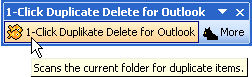 Duplicate e-mails are annoying. Duplicate contacts are confusing. And you have just found the solution. 1-Click Duplicate Delete will get rid of all your duplicate e-mails and merge contacts. And all this with just one mouse click and within seconds.
Try now for free: Download the trial version (5.08). (New features / improvements)
Or get it right now: Buy now!
Trouble-free duplicate removal:
 Easy 1-click mode. Recognizes e-mails, contacts, calendar items, notes, etc. Supports "Undo". Merges contacts. Works with Windows 10 and Outlook 2019 (and older versions) Easy 1-click mode. Recognizes e-mails, contacts, calendar items, notes, etc. Supports "Undo". Merges contacts. Works with Windows 10 and Outlook 2019 (and older versions) |
Sync Outlook ·
Synchronize Files ·
Sitemap ·
PAD ·
EULA · Uninstall · Mobile version ·
© 1999-2024 ITSTH